Sub-Total: $0.00
Customizing Your Chevy Dash Cluster Made Easy and Fun
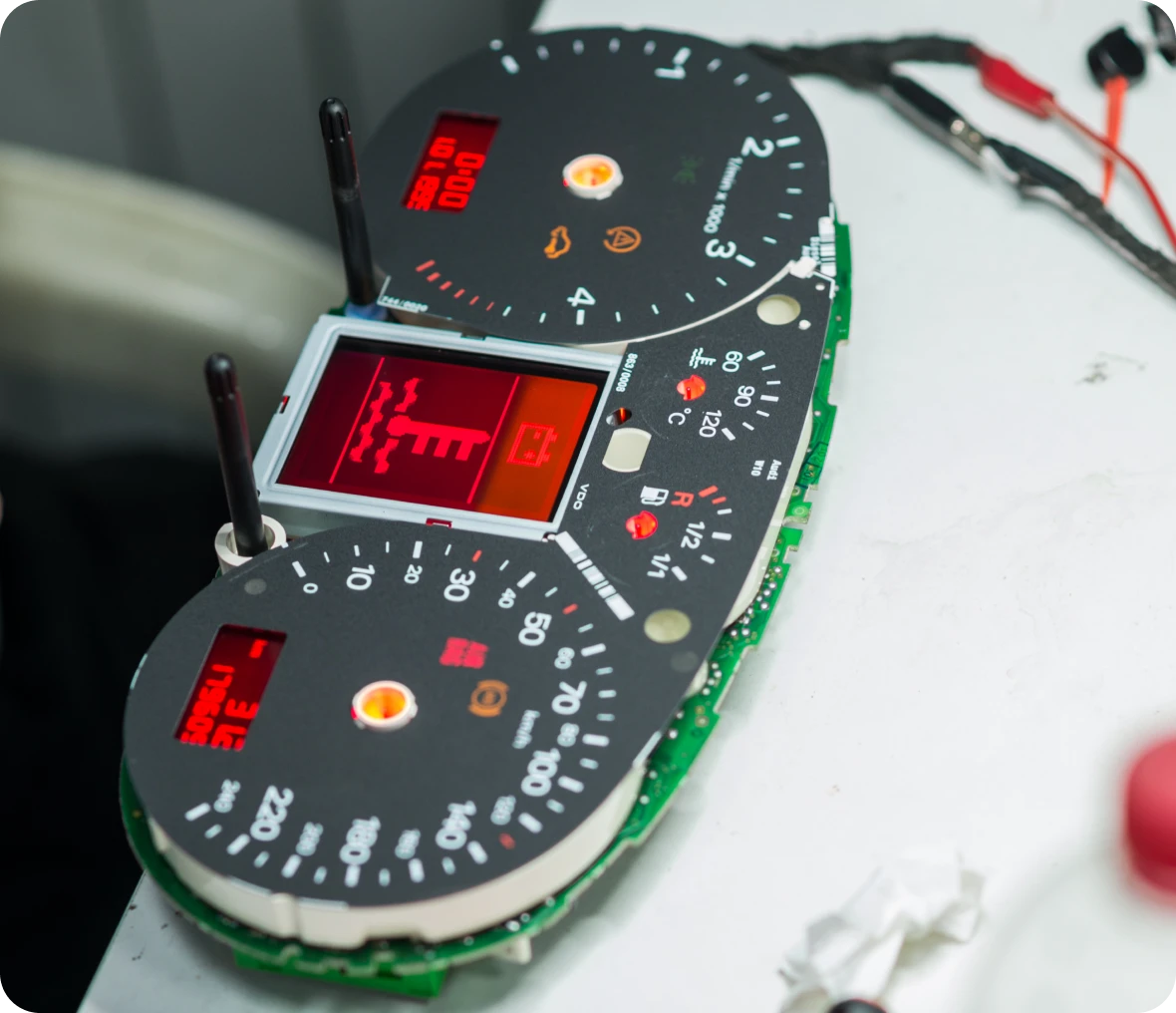

Customizing your Chevy dash cluster lets you personalize your driving experience while fixing any problems your gauges might have. Does your speedometer stick or are your lights dim? Upgrading or repairing your cluster can bring your dashboard back to life.
You can choose from LED upgrades, new gauge faces, or chrome rings to make your dash look sharp and work perfectly.
If you want a quality result, trust experts who know GM clusters well. Digitech Auto Solutions offers fast, reliable repairs and upgrades with clear video proof before you pay. Mail in your cluster and get your Chevy dash working like new without hassle.
Ready to give your Chevy dash a custom look while fixing those flickering gauges or dim lights? This guide shows you exactly how to customize your Chevy dash cluster—easily and with results that last.
Understanding Your Chevy Dash Cluster
Your Chevy dash cluster holds all the key info you need while driving. It shows speed, fuel, engine warnings, and other important details. Knowing the types of clusters, their main parts, and what fits your vehicle helps you make smart choices for repairs or upgrades.
Types of Dash Clusters in Chevy Vehicles
Chevy uses two main types of dash clusters: analog and digital. Analog clusters have physical needles and dials that show speed, RPM, and fuel level. Digital clusters use screens to display this info, sometimes with customizable layouts.
Some newer Chevy trucks and SUVs, like the Silverado and Tahoe, come with full digital or hybrid clusters (a mix of analog and digital). Your choices for customization or repair depend on which type you have.
Essential Components and Indicators
Your cluster includes speedometer, tachometer, fuel gauge, temperature gauge, and warning lights. Each gauge uses sensors linked to your vehicle’s systems to give real-time data.
Warning lights like check engine, oil pressure, and battery indicators alert you to problems. Lights that don’t come on or gauges that stick often point to electrical or sensor issues needing repair.
Compatibility Considerations
Not all Chevy dash clusters fit every model or year. Differences in speed sensor signals, wiring, and software mean you require the right cluster for your truck or SUV.
Upgrades like LED backlighting or custom faces also require matching your cluster type. When unsure, check your vehicle’s VIN and model year to confirm the cluster version. This prevents costly returns or malfunctions.
Preparing for Dash Cluster Customization
Before you start customizing your Chevy dash cluster, gather the right tools and materials, follow safety steps, and set clear goals. This saves time and helps the process go smoothly.
Gathering the Right Tools and Materials
You’ll need some basic tools for this job. Use a small screwdriver set, including flathead and Phillips heads. A plastic pry tool helps avoid scratching trim pieces. Tweezers or needle-nose pliers assist with tiny parts.
For materials, consider replacement bulbs or LED kits if you want to upgrade the lighting. Chrome rings, custom gauge faces, and adhesive pads might also be part of your plan. Make sure all parts match your Chevy model year and cluster type.
Keep everything organized on a clean workspace with good lighting. This makes it easier to handle small screws and connectors.
Safety Precautions Before Starting
Disconnect your vehicle’s battery before working on the dash cluster. This prevents accidental shorts or electrical shocks. Wait 10 minutes after disconnecting to let the system fully power down.
Make sure your work area is dry and free of static electricity. Use an anti-static wrist strap if possible, since the cluster’s circuit board is sensitive.
Handle all parts gently. Avoid touching circuit board contacts with your fingers to prevent oil or dirt buildup. If you’re not sure about wiring or connectors, consult your vehicle’s manual.
Identifying Customization Goals
Decide what you want from your dash cluster upgrade. Are you fixing broken gauges, swapping to brighter LEDs, or adding a custom look like chrome rings or colored faces?
Write down specific goals such as “replace dim bulbs with white LEDs” or “add stainless steel gauge faces.” This helps you buy the right parts and avoid surprises.
Knowing your goals helps you decide if you can do it yourself or if you need professional help. Complex wiring changes may require an expert technician. Clear goals keep your project focused.
Step-By-Step Dash Cluster Removal
To take out your Chevy dash cluster, work carefully and follow clear steps. This involves turning off power, opening up the dashboard, and removing the cluster piece safely. Take your time to avoid damage.
Disconnecting the Battery and Power Sources
First, locate your truck’s battery under the hood. Use a wrench to disconnect the negative terminal (marked with a minus sign). This stops electricity from flowing and prevents shorts or shocks while you work.
After disconnecting, wait at least 10 minutes. This lets any leftover power drain from the system. Double-check the dash lights are off before moving forward.
Accessing the Dash Cluster Panel
Get inside your truck and sit in the driver’s seat. Look for the screws holding the dash cluster panel in place. These are often hidden behind plastic covers or trim pieces you can carefully pry off with a trim tool or flat screwdriver.
Once screws are removed, gently pull the dash cluster panel toward you. Be cautious with clips—these can snap easily if forced. Keep track of all screws and small parts so you can put them back later.
Safely Removing the Cluster Unit
With the panel off, you should see the back of the cluster. Electrical plugs connect it. Press the release tabs on the plugs before unplugging.
Once unplugged, gently slide the cluster out of the dash. Hold it steady to avoid dropping or scratching it. Keep your work area clean to prevent debris from getting inside the cluster or dash. Your cluster is now ready for repair or customization.
Dash Cluster Customization Options
You have several ways to customize your Chevy dash cluster to fit your style and improve visibility. You can change the backlighting colors, swap out the gauge faces, or upgrade to newer digital or LED displays. Each option brings different benefits and levels of complexity.
Changing Cluster Backlighting Colors
Changing your dash cluster’s backlighting can make your gauges easier to read while matching your truck’s interior style. Many Chevy models use simple bulb or LED systems that you can replace with colored LEDs.
Popular colors include white, blue, red, and green. LEDs last longer and provide brighter, more even lighting compared to factory bulbs. Remove the cluster and carefully swap the bulbs or LED strips. Use LEDs that fit your model to avoid electrical issues.
Some services offer custom backlighting with multicolor LEDs you can change with a switch. This option costs more but gives you full control over your dash’s glow.
Installing Custom Gauge Faces
Custom gauge faces can give your Chevy’s dash a fresh, unique look. You can find faces designed for specific Chevy trucks that feature different fonts, colors, and styles.
Most custom faces are vinyl overlays or replacement plastic faces that fit over or in place of your original gauges. They require cluster removal and careful work to avoid damaging needles or electronics.
Options include chrome rings, carbon fiber prints, or special themes like Daytona or race-inspired designs. High-quality faces hold up better under heat and sunlight, so choose one that is durable to avoid fading or peeling.
Upgrading to Digital or LED Displays
Upgrading your dash cluster to digital or all-LED displays offers better accuracy and modern style. Digital speedometers, tachometers, and fuel gauges provide clearer readouts, even in bright sunlight.
LED upgrades replace traditional bulbs inside your cluster with bright, energy-efficient LEDs. They improve visibility, reduce flickering, and last longer.
For full digital upgrades, some aftermarket clusters or cluster modules replace your original with advanced screens. Installation is more involved and may require professional help to maintain factory accuracy and avoid warranty issues.
Before upgrading, make sure your Chevy’s electrical system is compatible with the new display.
Adding Advanced Features to Your Dash Cluster
Upgrading your Chevy’s dash cluster can add more useful tech to improve your driving experience. You can add things like hands-free Bluetooth or sensors that track extra vehicle info. Both options require some planning and the right equipment.
Incorporating Bluetooth or Wireless Technology
Adding Bluetooth to your dash cluster lets you connect your phone for calls, music, or navigation without reaching for your device. You’ll need a Bluetooth adapter designed for Chevy clusters or an aftermarket module that supports wireless connections.
Installation involves tapping into the cluster’s wiring for power and data. Some modules connect via CAN bus—the vehicle’s network system—to communicate with your dash. Once installed, you can control calls and audio directly from your dash or steering wheel buttons.
Make sure the module you choose is compatible with your truck model and year. Quality kits often come with detailed instructions or video guides.
Integrating Additional Sensors
Adding sensors lets you monitor extra data like oil temperature, tire pressure, or battery voltage on your dash. These sensors send real-time info to your cluster, giving you better control over your truck’s condition.
Install the physical units in or near the parts you want to monitor. Then, connect them to a display module that interfaces with your dash cluster. This requires some wiring work and possibly a sensor hub to gather different signals.
Popular sensors for Chevy trucks include boost gauges for turbo models or temperature sensors for towing. Make sure your dash cluster supports custom inputs or use an adapter that can translate sensor data into readable gauges.
Reassembly and Testing
Once you finish customizing your Chevy cluster, getting everything back together correctly is key. You also need to check that all new features work right and know how to fix minor issues that might come up.
Careful Reinstallation Procedures
Align the cluster with its mounting points inside the dash. Make sure all wiring connections are secure and seated properly; loose plugs can cause malfunctioning gauges or dead displays. Use a soft cloth to avoid scratching any surfaces during reinstallation.
Screw the cluster back in place without overtightening. Over-tightening can crack the plastic housing or damage internal components. Reattach any bezel or trim pieces carefully, ensuring clips snap into position cleanly.
Before fully reassembling the dash, check for any leftover parts or tools inside the cavity.
Testing Custom Features and Functions
Turn on your vehicle and watch the cluster power up. Check each gauge—speedometer, tachometer, fuel, temperature—for correct movement and calibration. Pay special attention to custom lighting elements like LEDs or color changes.
Cycle through any new options on displays or menus you’ve added. Make sure brightness levels, warning lights, and digital readouts respond as expected. If you installed custom rings or faces, verify that colors look even and all segments light properly.
Drive the vehicle a short distance while monitoring gauge behavior.
Troubleshooting Common Issues
If gauges don’t move or lights stay off, recheck connector seating and fuse condition. Loose wiring or blown fuses are the most common problems. Use a multimeter if you have one to confirm power and ground at the cluster.
Erratic gauge swings can mean sensor issues or ground faults elsewhere in the vehicle. Confirm sensor outputs or try swapping with known-good parts to isolate faults.
If lighting brightness is uneven, check that all LEDs or bulbs are seated and undamaged. Replace faulty bulbs with exact matches for consistent color.
For complex issues, seek professional help to save time and prevent damage.
Maintenance Tips for a Customized Dash Cluster
Keeping your customized Chevy dash cluster in good shape means regular care and simple checks. Protect it from dirt and damage while making sure all gauges and lights work properly. This helps your cluster stay reliable and looking sharp.
Cleaning and Protecting the Dash
Use a soft microfiber cloth to clean your dash cluster. Avoid harsh chemicals or abrasive materials that can scratch or dull the surface. Choose a gentle cleaner made for automotive plastics or screens.
Protect your cluster from direct sunlight when parked for long periods. UV rays can fade custom colors and damage plastic parts. Use a sunshade or park in the shade.
If you have custom LED lighting or chrome rings, check for dust buildup weekly. Dust can reduce brightness and clarity. Clean hard-to-reach areas with compressed air or a soft brush without touching delicate parts.
Periodic Functionality Checks
Check your gauges, lights, and displays regularly to catch any issues early. Turn your ignition on and watch the cluster’s self-test to ensure all warning lights come on and go off as expected.
Watch for gauge movement. If needles stick or jump, or if lights flicker, you may have a connection or electrical problem. Early detection lets you fix issues before they get worse.
If you notice any irregularities, send your cluster to a trusted repair shop. Their factory-trained technicians offer fast, honest repairs with video proof before you pay.
Legal and Warranty Considerations
When you customize your Chevy dash cluster, check how it might affect your vehicle’s warranty. Some changes, especially electrical ones, could void parts of the warranty. Review your owner’s manual or ask your dealer before making modifications.
Keep in mind these points:
- Factory warranty may not cover damage from custom work.
- Unauthorized repairs could lead to rejected warranty claims.
- Cosmetic upgrades like LED replacements usually have less impact on warranties.
Some states have laws about altering speedometer readings or instrument displays. Changing your speedometer may be illegal in certain places. Make sure your upgrades follow local rules to avoid fines or inspection issues.
If you’re unsure about legality or warranty effects, seek professional help.
Factory-trained technicians handle cluster upgrades with care. They follow warranty rules and legal limits for all repairs and upgrades.
Before you ship your cluster, ask questions or request advice. This helps you avoid costly mistakes and keeps your Chevy’s dash working right, legally and safely.
Upgrade Your Chevy Dash with Confidence
Customizing your Chevy dash cluster doesn’t just improve the look—it can also fix problems like dim lights or dead gauges. With the right tools and some smart upgrades, you can modernize your cluster and make it your own.
Need help getting it done right? Digitech Auto Solutions specializes in cluster repairs and upgrades, with video proof before you pay. Fill out the Service Order Form today and bring your dash back to life—your way.
Frequently Asked Questions
Customizing your Chevy dash cluster often involves choosing upgrade options, understanding the process of reprogramming, and knowing where to buy parts or services. It’s important to consider legal rules and whether simple methods like overlays will work for your truck.
How do I customize the instrument cluster on a Silverado 1500?
You can customize by adding LED lighting, changing gauge faces, or upgrading to a digital cluster. Some owners install chrome rings or stainless steel inlays for style. Professional repairs or upgrades ensure everything works safely.
What options are available for a digital gauge cluster upgrade in Chevy trucks?
Digital upgrades include full LCD screens or partial digital readouts. Some kits offer customizable displays with GPS speedometers and performance data. These usually require professional installation and programming.
Where can I find custom dash clusters for sale?
Custom clusters are available online at specialty shops or through GM parts dealers. You may also consider rebuilt or never-installed units from trusted sources like Digitech Auto Solutions. Always check for compatibility with your model year.
Are there any legal considerations when modifying my Chevy’s dash cluster?
Yes. Altering speedometers or essential gauges might be illegal in some states if it affects accuracy. Always check local laws to avoid fines or failed inspections. Safety and compliance come first.
What’s involved in reprogramming a Chevy instrument cluster?
Reprogramming requires specialized tools to sync the cluster with your truck’s computer. This process updates mileage, calibrates sensors, and fixes error codes. Experienced technicians should handle this to avoid errors.
Can I use an overlay to customize my truck’s gauge cluster?
Yes, overlays are a quick and easy way to change the look of your gauges. They don’t affect how your gauges work. Overlays offer affordable styling but won’t fix technical problems or provide digital upgrades.